

This article was originally published on the JetBrains blog.
Every technology has its misuses, and different technologies use different approaches to prevent them. In the Kotlin ecosystem, I believe the philosophy has always been: “Make API so good use is simple and default, while misuses are hard and more complicated.” This is different from JavaScript, which has plenty of legacy practices (like using
\== instead of \===, or var instead of let/const) and fights them primarily with warnings. However, not everything can be enforced by good design, and Kotlin also includes warnings that guide developers in writing better code.Today, I am delighted to announce that IntelliJ introduced a set of new, amazing warnings for the Kotlin coroutines library. I have seen those mistakes in many codebases and fought them by educating people through my books, articles, and workshops. I hope this article is my last explanation of why those patterns are wrong and what to do instead.
All those warnings will also be present in Android Studio. Here you can see how IntelliJ versions relate to Android Studio versions.
Available since IDEA 2025.2
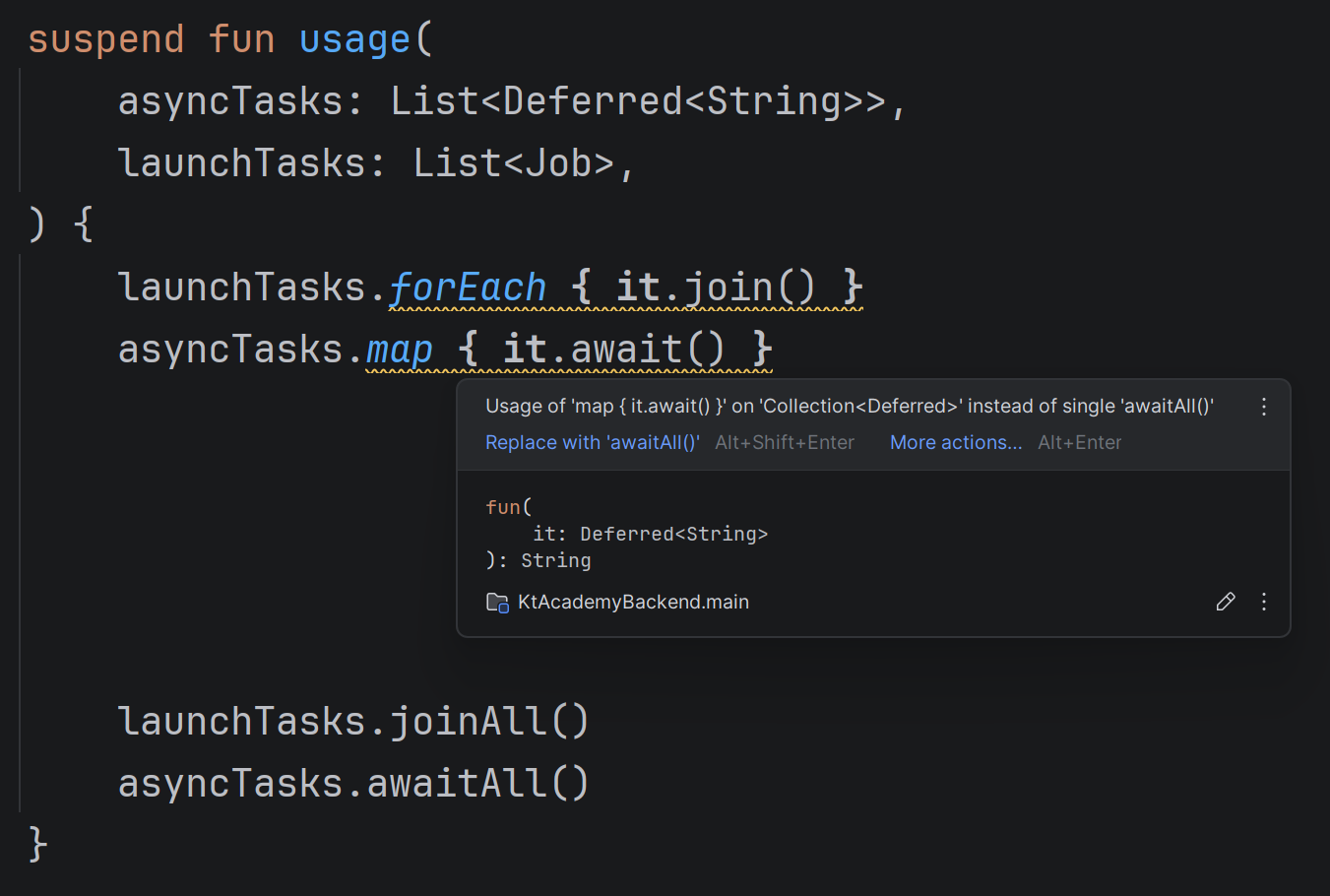
If you use
map { it.await() } in code, you will see a suggestion to use awaitAll() instead. If you use forEach { it.join() }, you will see a suggestion to use joinAll() instead. Why? awaitAll() and joinAll() are cleaner. awaitAll() is also more efficient and better represents waiting for multiple tasks, as it waits for all elements rather than waiting for one after another.awaitAll() also offers better behavior in case of exceptions. Imagine you await 100 coroutines, and the 50th throws an exception. awaitAll() will know there is nothing to wait, it will immediately rethrow this exception. Unlike map { it.await() }, which would first wait for the first 49 coroutines until it would throw exception (in most cases, this behavior cannot be observed, because of other exception propagation mechanisms).Available since IDEA 2025.2
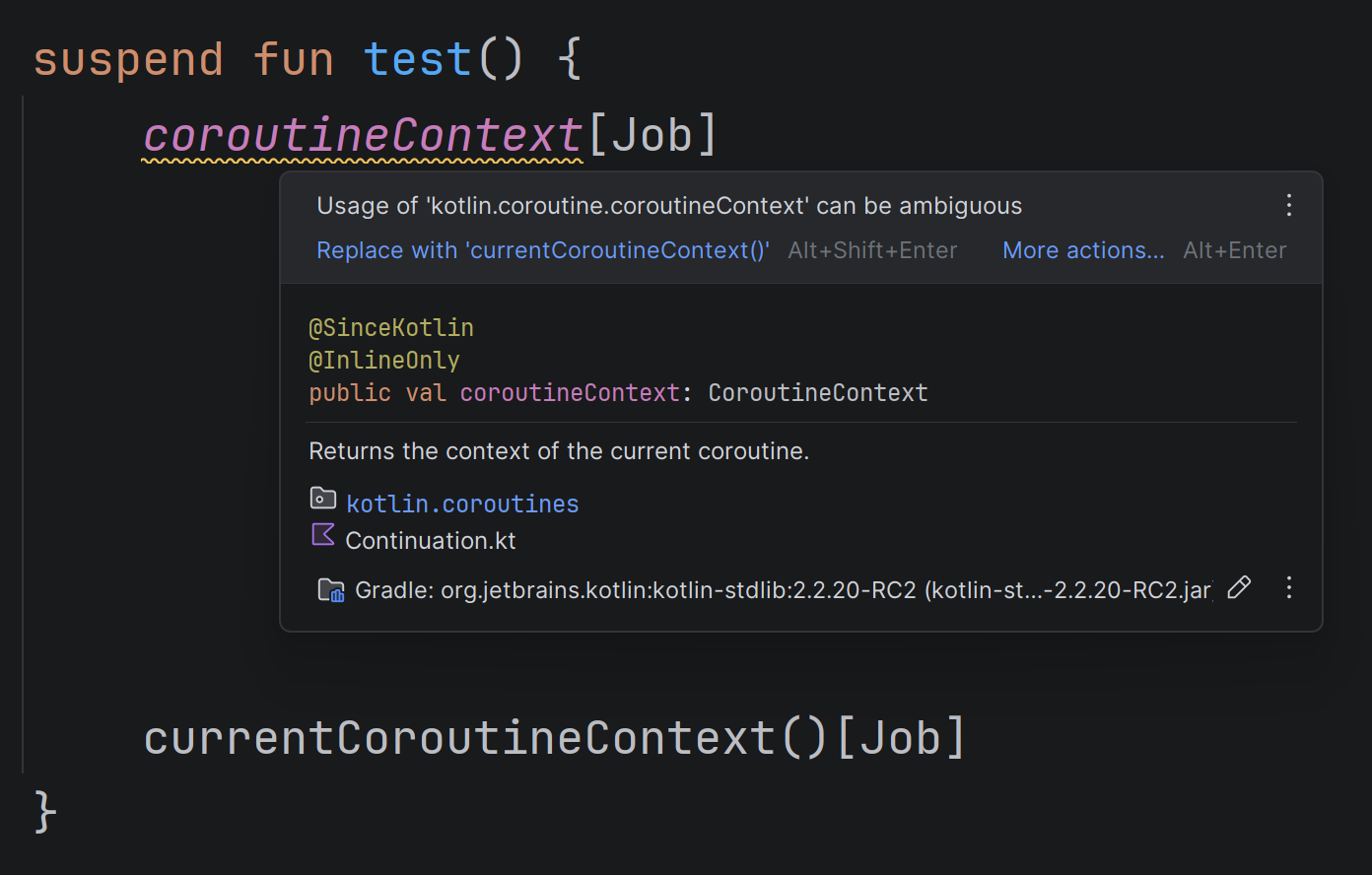
All suspending functions can access the context of the coroutine in which they are called. The original way to refer to it was the
coroutineContext property. The problem with this property is that CoroutineScope, which is implicitly available in coroutine starters (launch, coroutineScope, runTest, etc), has a property with the same name. This name clash often caused confusion and issues. To understand why, consider the code below.@Test fun should_support_context_propagation() = runTest { val name1 = CoroutineName("Name 1") var ctx: CoroutineContext? = null val transformation: suspend (String) -> String = { ctx = coroutineContext it } withContext(name1) { listOf("A").mapAsync(transformation) } assertEquals(name1, ctx?.get(CoroutineName)) }
This code tests the
mapAsync function and checks whether it correctly propagates context from the caller to the transformation. It is incorrect. Within the transformation, in another situation, we could read the caller context from the coroutineContext, but not here. This lambda is defined inside runTest, and the coroutineContext property from CoroutineScope (provided by runTest) takes priority over the top-level property coroutineContext. Such mistakes turned out to be quite common. This is why the currentCoroutineContext() function was introduced to read the context of the coroutine that runs a suspending function, and we should use it instead of coroutineContext.Available since IDEA 2025.2

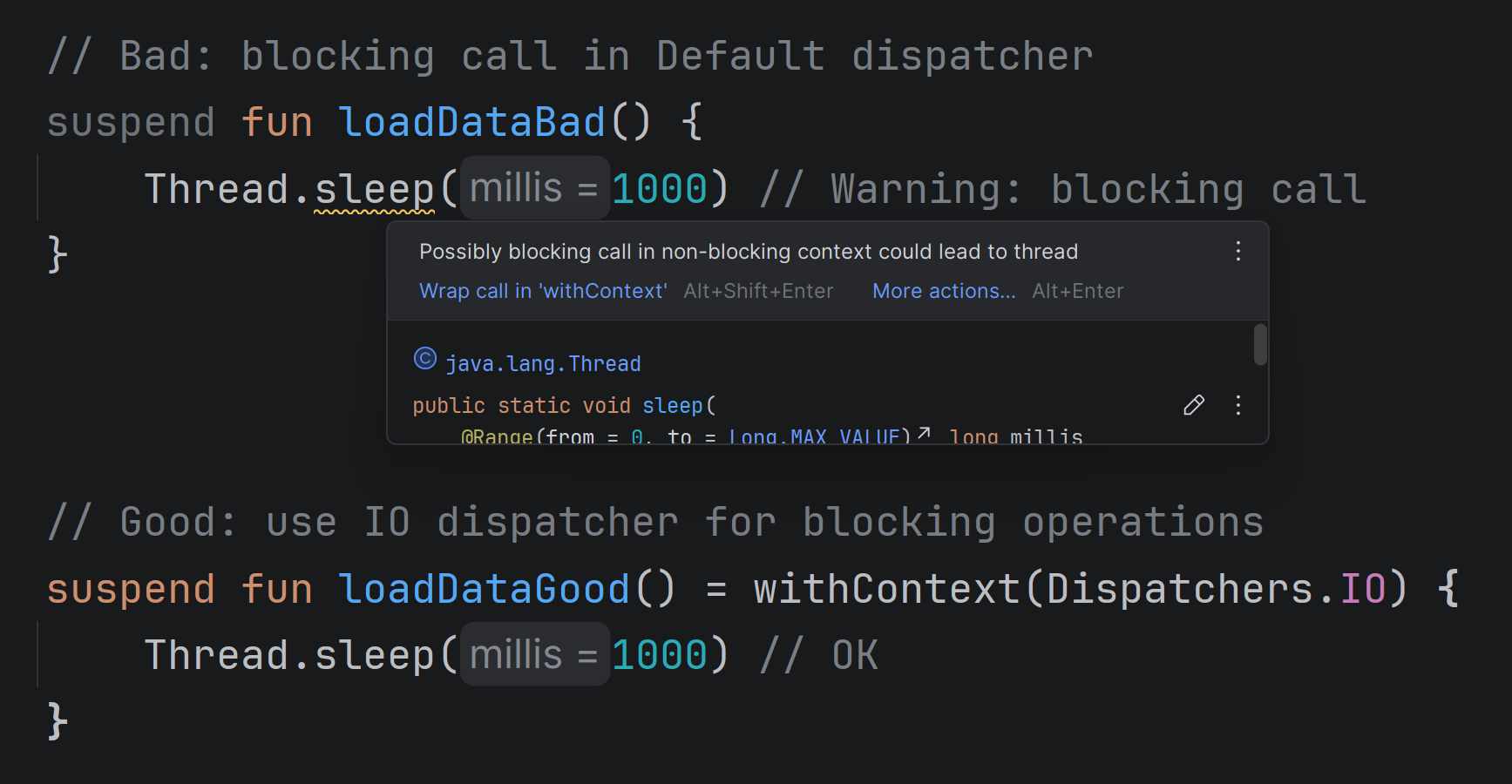
Using
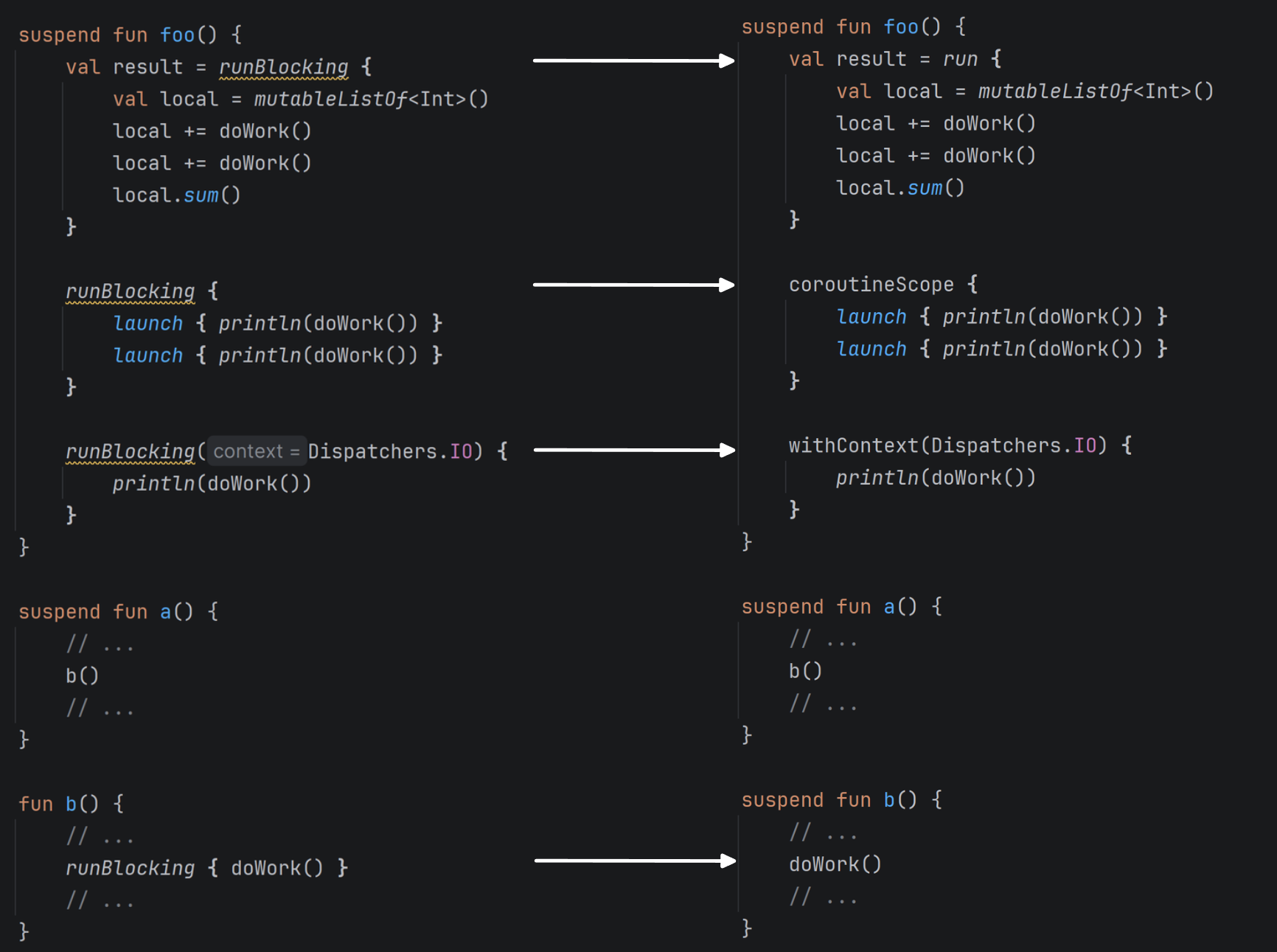
runBlocking inside suspending functions is a serious issue. It is a blocking function, and as I explained in the previous section, one should avoid making blocking calls in suspending functions.So what to use instead? That depends on what you want to achieve. In most cases, you just don’t need it. If you need to create a coroutine scope, use
coroutineScope { … }. If you need to change context, use withContext(ctx) { … }. Beware situations where a suspending calls a regular function that uses runBlocking. Prefer making this function suspending to avoid making a blocking call.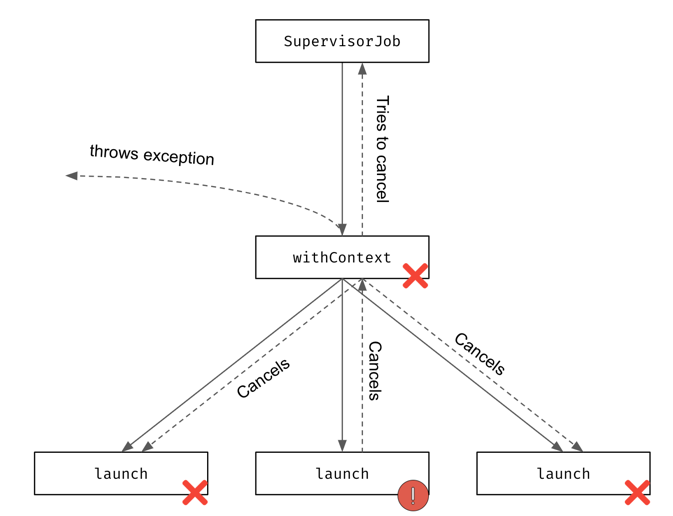
Available since IDEA 2025.3
This inspection is displayed when you use
async and never use its result. In such cases, you should use launch instead. This is the key difference between launch and async: async returns a result and is expected to await this result, while launch produces no result.Because of this difference, they have slightly different behavior regarding exception handling. Using
async without await can lead to a situation in which, when there is an unhandled exception, the CoroutineExceptionHandler isn’t called.Available since IDEA 2025.3
I waited years for this warning! I’ve seen so many issues that result from using a
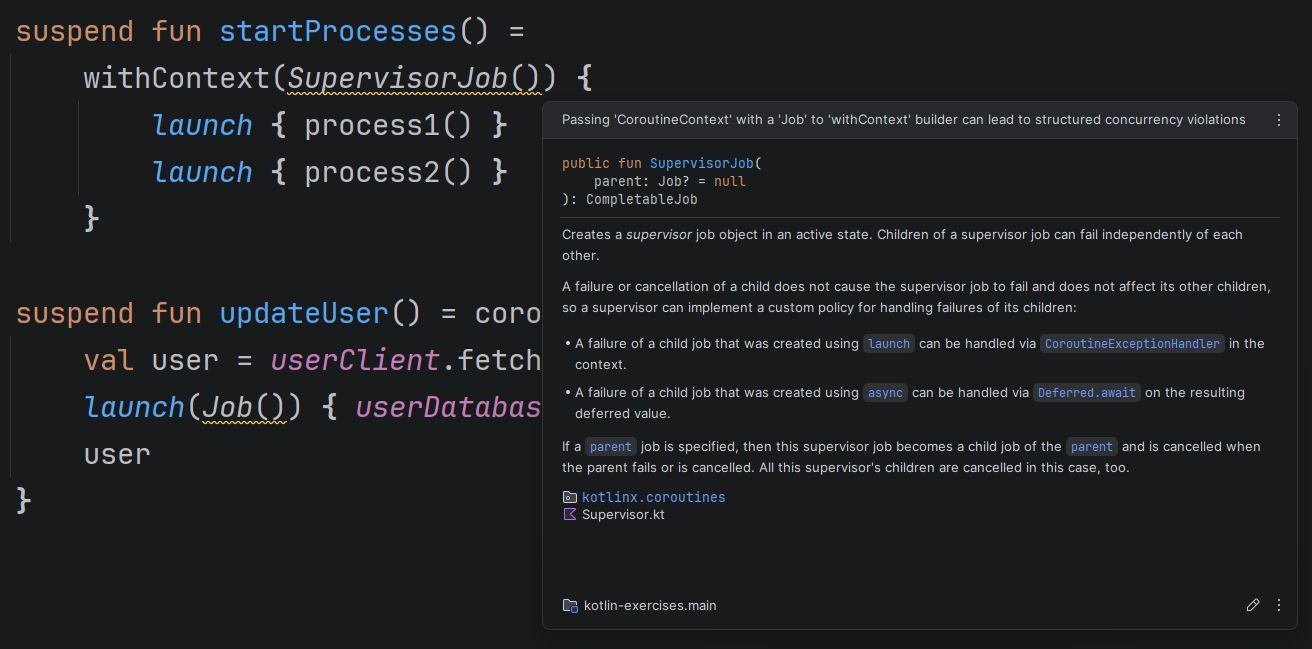
Job as an argument to a coroutine starter. I explained this best practice in my book and taught it in my workshops, yet I still saw it in so many projects. With this warning, I hope this will finally change. Let’s explain it for the last time why Job shouldn’t be used as an argument for a coroutine.The key misunderstanding here is that
Job is the only context that cannot be overridden by an argument. If you use any other context, it will be used in the coroutine and its children, but not Job. Why? Because every coroutine creates its own job. A job contains the state and relations of a coroutine, it cannot be shared or enforced from outside. The Job that is used as an argument isn’t going to be a job of this coroutine; instead, it overrides Job from the scope and becomes a parent. This breaks structured concurrency.Let’s see an example. Using
withContext(SupervisorJob()) { … } works completely differently than supervisorScope { … }. supervisorScope creates a coroutine that is a child of the caller of this function, and uses a SupervisorJob (so it doesn’t propagate its children’s exceptions). On the other hand, withContext(SupervisorJob()) creates a regular coroutine, which is a child of SupervisorJob, so it has no relation to the caller.Consider the code below. An exception in the first
launch propagates to withContext (which uses regular Job), cancels other children, and gets rethrown. SupervisorJob() is pointless here, but in some cases, it is worse than pointless, because it breaks structured concurrency. If a caller of withContext(SupervisorJob()) gets cancelled, this cancellation won’t propagate, which will result in a memory leak.import kotlinx.coroutines.* fun main(): Unit = runBlocking { // DON'T DO THAT! withContext(SupervisorJob()) { launch { delay(1000) throw Error("Some error") } launch { delay(2000) println("AAA") } } println("Done") } // (1 sec) // Exception...
We would have no such problem if we used
supervisorScope:import kotlinx.coroutines.* fun main(): Unit = runBlocking { supervisorScope { launch { delay(1000) throw Error("Some error") } launch { delay(2000) println("AAA") } } println("Done") } // (1 sec) // Exception… // (1 sec) // AAA // Done
A
Job used as an argument breaks the relationship with the caller. In the case below, updateToken won’t be related to the caller of getToken.suspend fun getToken(): Token = coroutineScope { val token = tokenRepository.fetchToken() launch(Job()) { // Poor practice tokenRepository.updateToken(token) } token }
This is generally discouraged, as it breaks structured concurrency. The standard approach would be to just sequentially call
updateToken:suspend fun getToken(): Token { val token = tokenRepository.fetchToken() tokenRepository.updateToken(token) return token }
If we really want to detach
updateToken from getToken, it is a better practice to start the launch on a different scope, like the backgroundScope we define in our application for background tasks. This way new coroutine is still attached to a scope, just a different one.suspend fun getToken(): Token { val token = tokenRepository.fetchToken() backgroundScope.launch { // Acceptable tokenRepository.updateToken(token) } return token }
Available since IDEA 2025.3
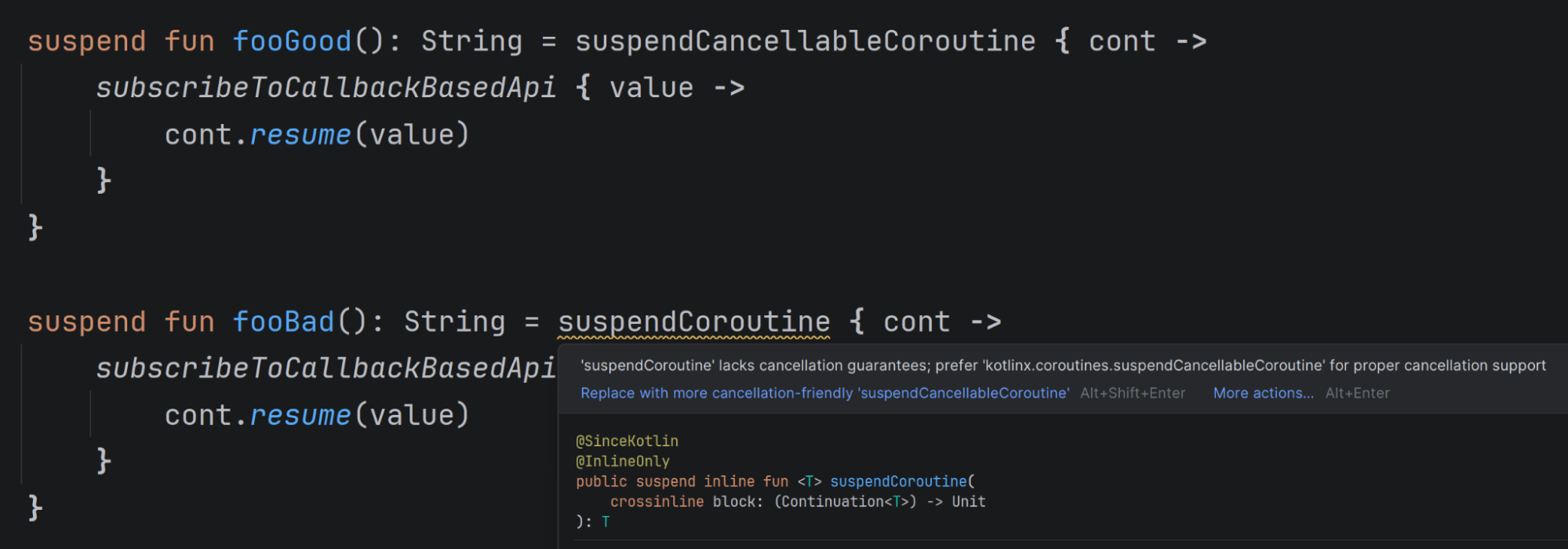
The right way to suspend a coroutine is to use
suspendCancellableCoroutine. Its predecessor, suspendCoroutine, should be forgotten, as it does not support cancellation. suspendCancellableCoroutine is a low-level API rarely used in application code, but often used by libraries that support suspending calls.Available since IDEA 2026.1, so currently in EAP
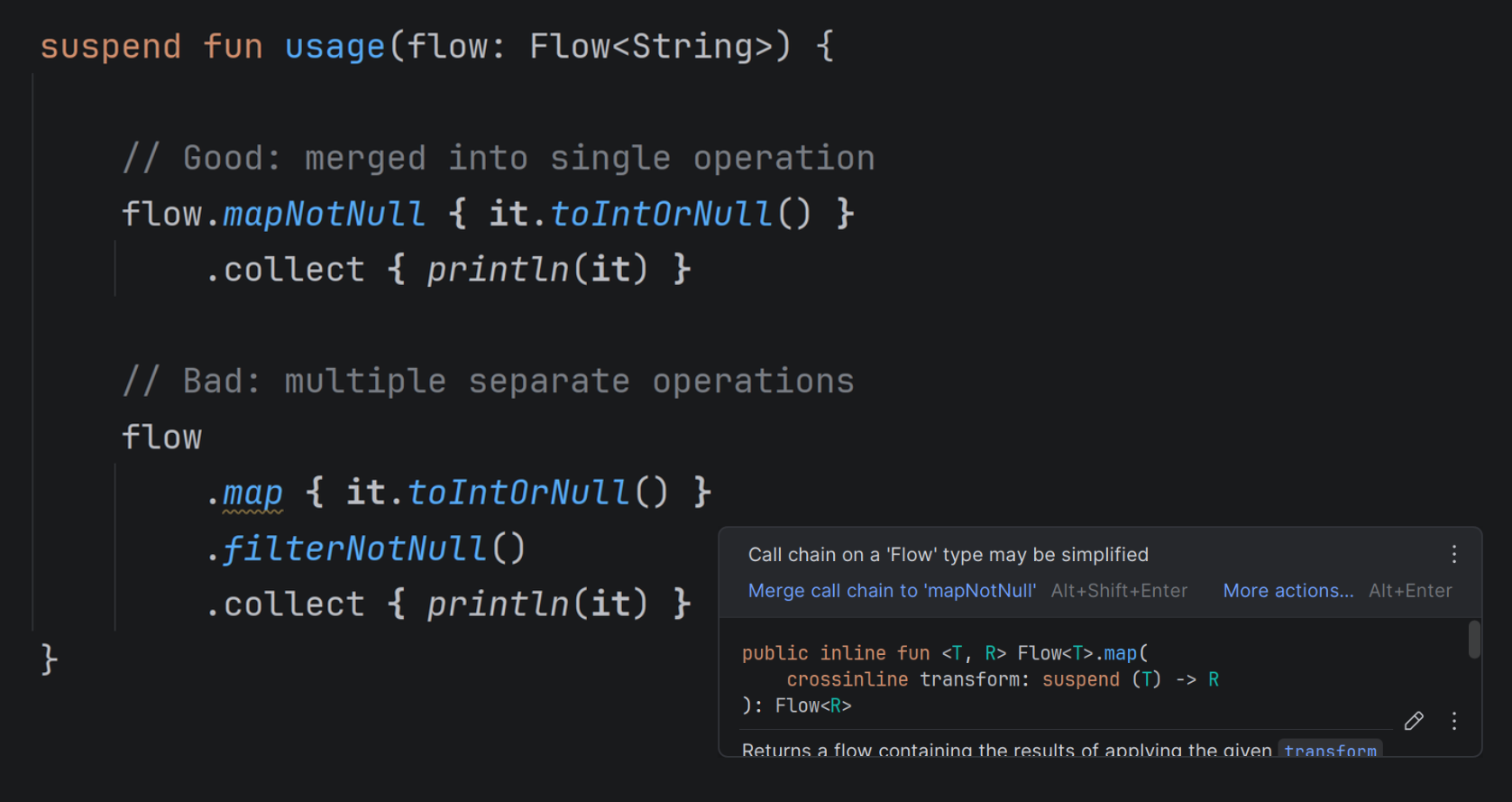
You surely know this one from collection or sequence processing: if you use
filterNotNull after map, you have a suggestion to use mapNotNull, or if you use filter { it is T }, you have a suggestion to use filterNotNull<T>. Now the same suggestions are present for flows! Happy to see that as well.IDEA IntelliJ changes to help us write better code. Not only by working on its AI tools and agents, but also by improving the traditional programming experience. There are still many warnings I would love to see in IntelliJ, but I am very happy with what we already have.
