

This is a text-version of the video we published on YouTube.
It is time to answer a question many of my students ask: In what order are modifiers applied in Compose? Some authorities claim they are applied from top to bottom, while others claim they are applied from bottom to top. So what is the truth?
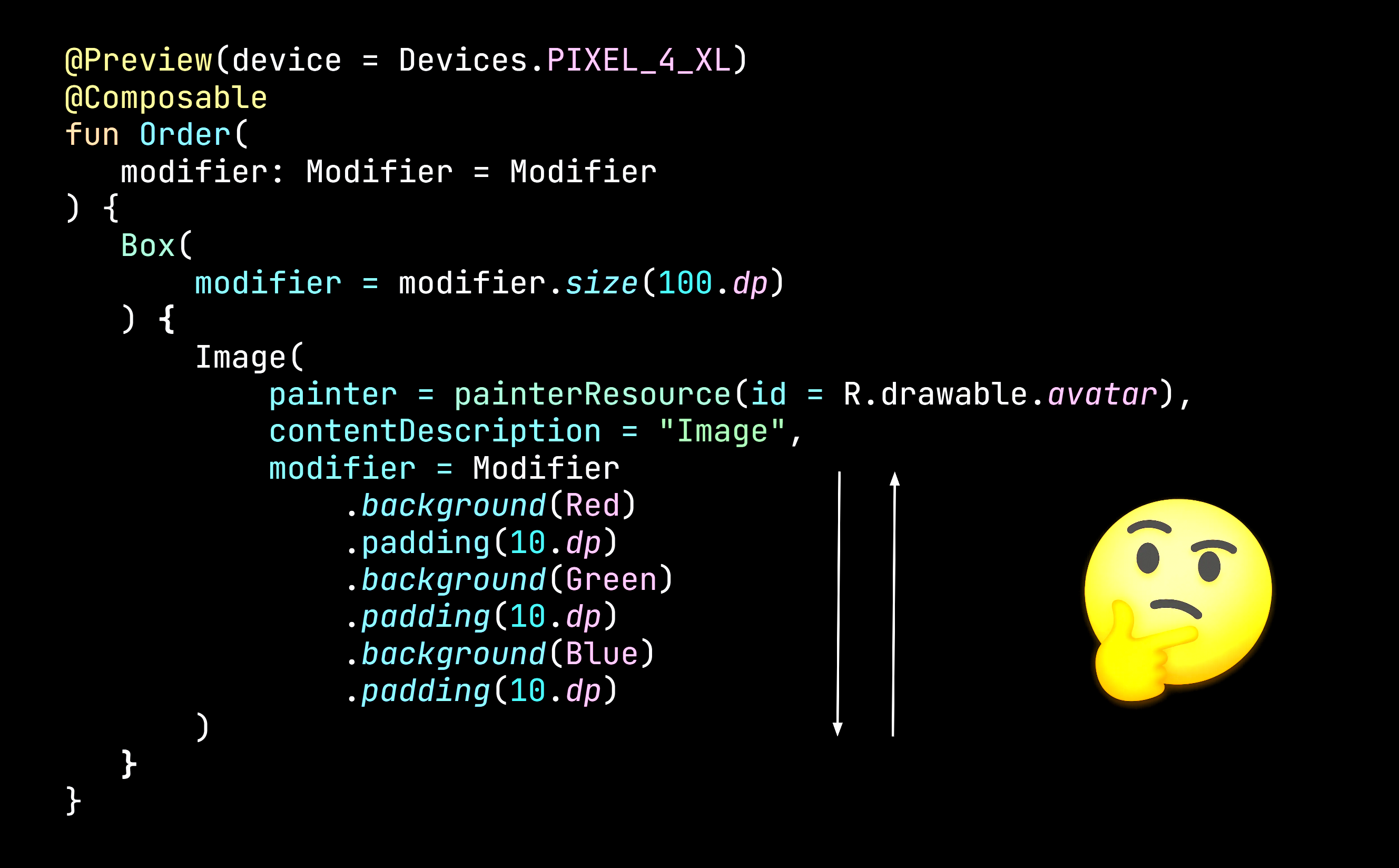
Sadly, there is no easy answer. After Composition, our UI tree consists of layouts, each with a list of modifiers and a measure policy. Compose uses this tree for different purposes.
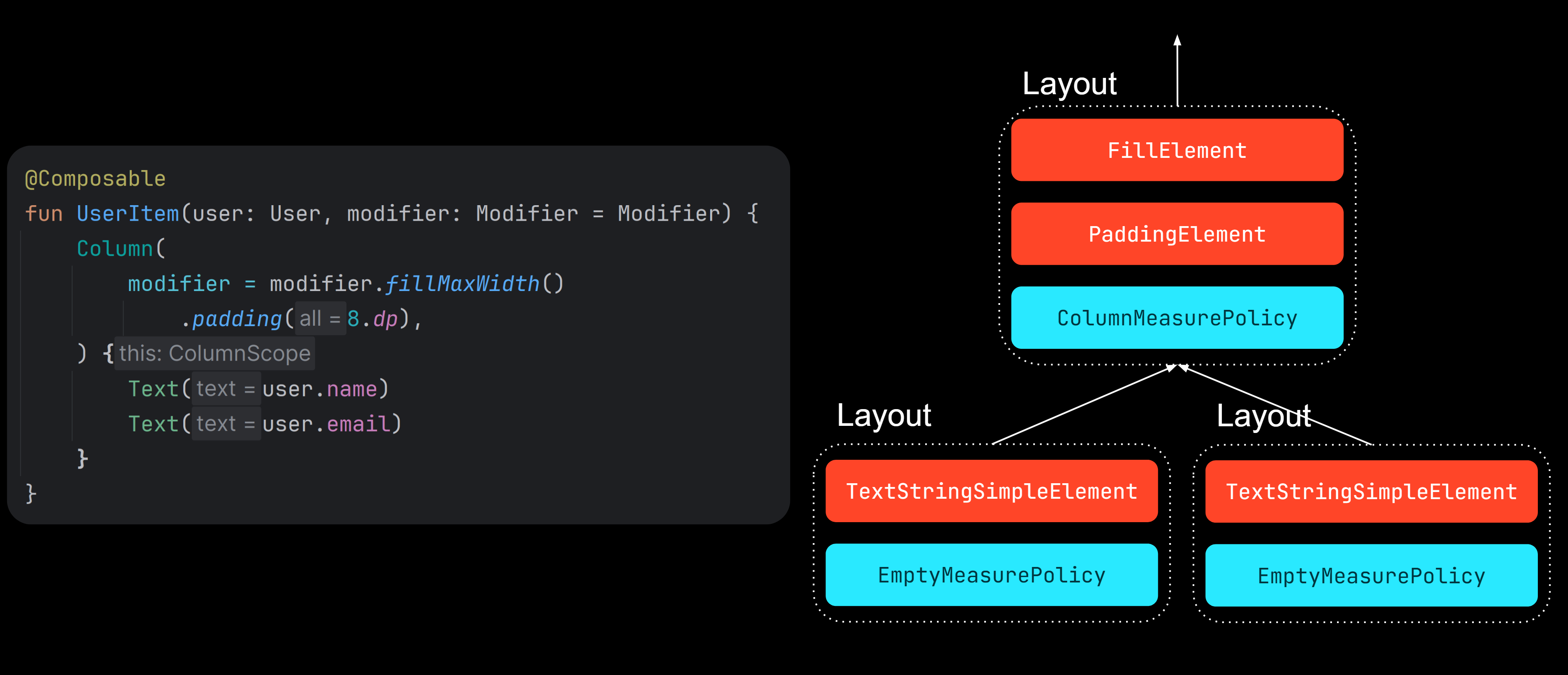
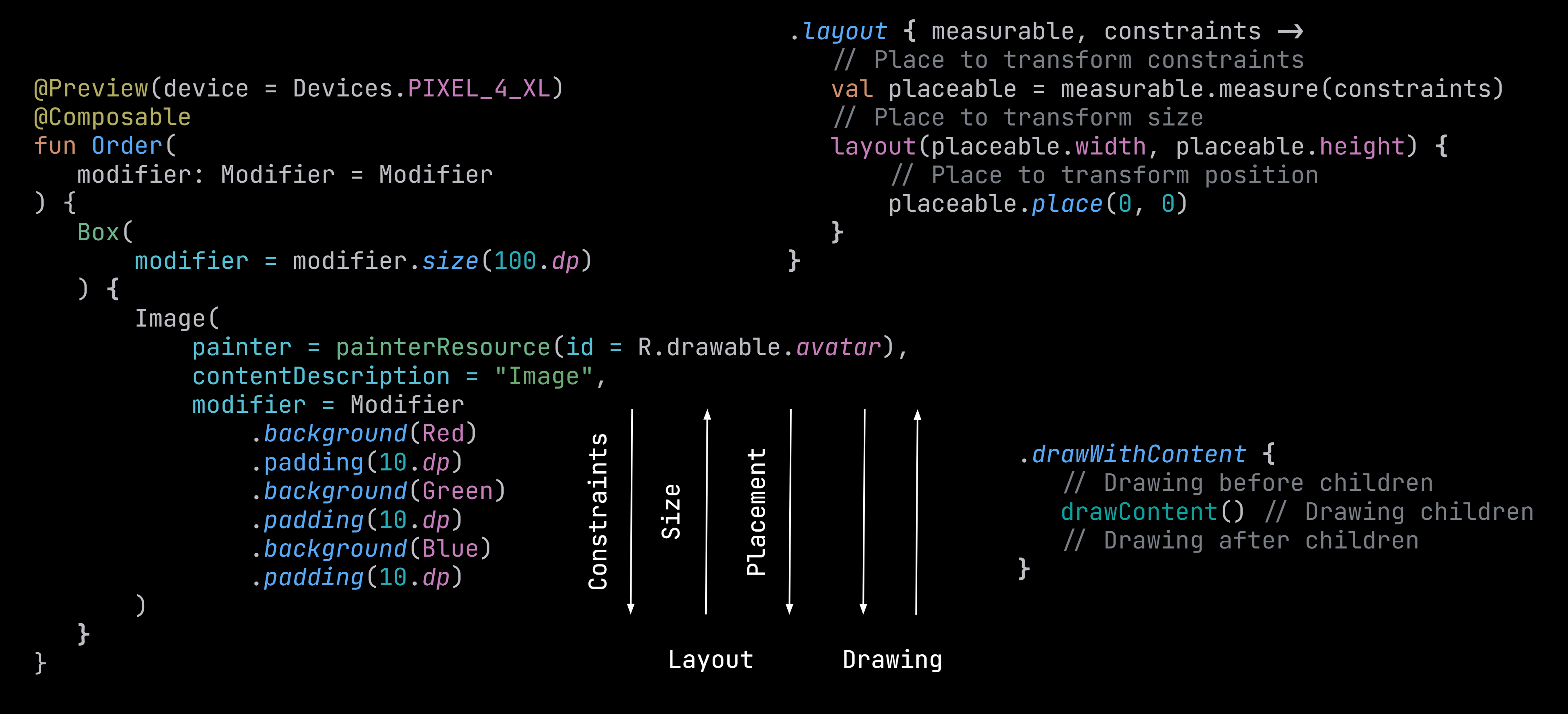
In the layout phase, it is used to calculate the size and position of each layout. How? For each layout, a similar algorithm is repeated. We first need to specify our size, but we cannot do that without measuring our children first. We are constrained, and we need to constrain our children. So we prepare constraints for each child, and we measure them. In other words, constraints go from top to bottom, and in response, size goes from bottom to top. Finally, layouts must be placed, and this happens from top to bottom: each layout is placed relative to its parent, and then it can place its children relative to itself. This is how the layout phase works. The drawing phase isn’t trivial either. Each modifier can draw something before or after drawing its children. As you can see, there is no one order in which modifiers are applied.
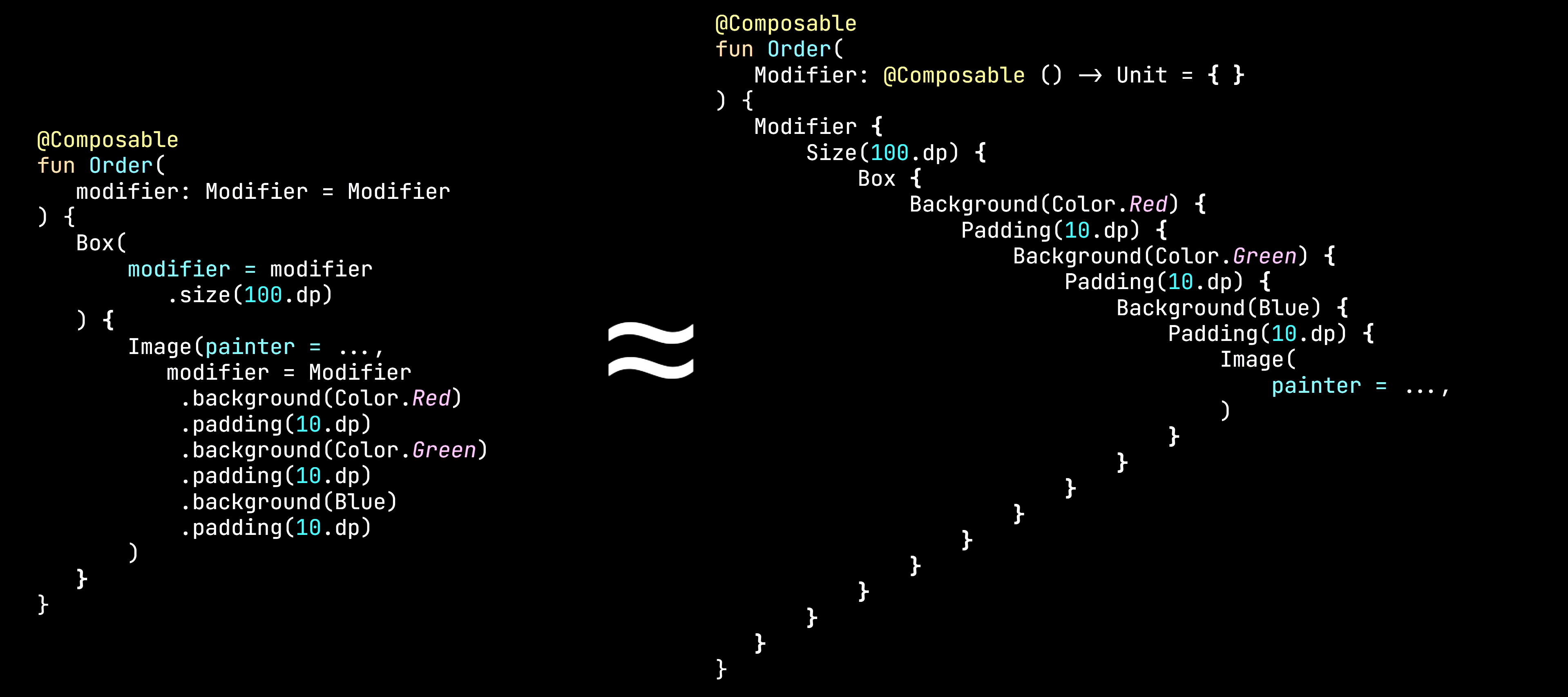
However, there is a simple abstraction to consider when thinking about modifiers that might help a lot. Modifiers conceptually represent decorators over whatever is inside them. When you start thinking this way, everything gets much easier. Background draws in its layout, and padding makes its children smaller. Now, once you understand each modifier, you can easily predict the outcome of a specific modifier order. This abstraction also explains why the modifier parameter should be applied at the top of the UI root component - only then is it decorating the whole component, not something specific inside of it.
Understanding modifiers takes some practice, but it is an essential skill for Compose developers. I prepared a game to help my students practice, along with a cheat sheet of the most important modifiers. You can find both on the kt.academy website under the “Free resources” tab, or in the description below this video. I offer a deep dive into modifiers, drawing, layout, composition, navigation, best practices, and much more in my course, Advanced Compose, which starts soon.
